
ServeLume / Field service invoicing software
From work doneto billing ready.
A clear invoice starts with a clear job. Give your office the context to review work and prepare the next step.
Explore your workflow · Review live plans · Bring your team
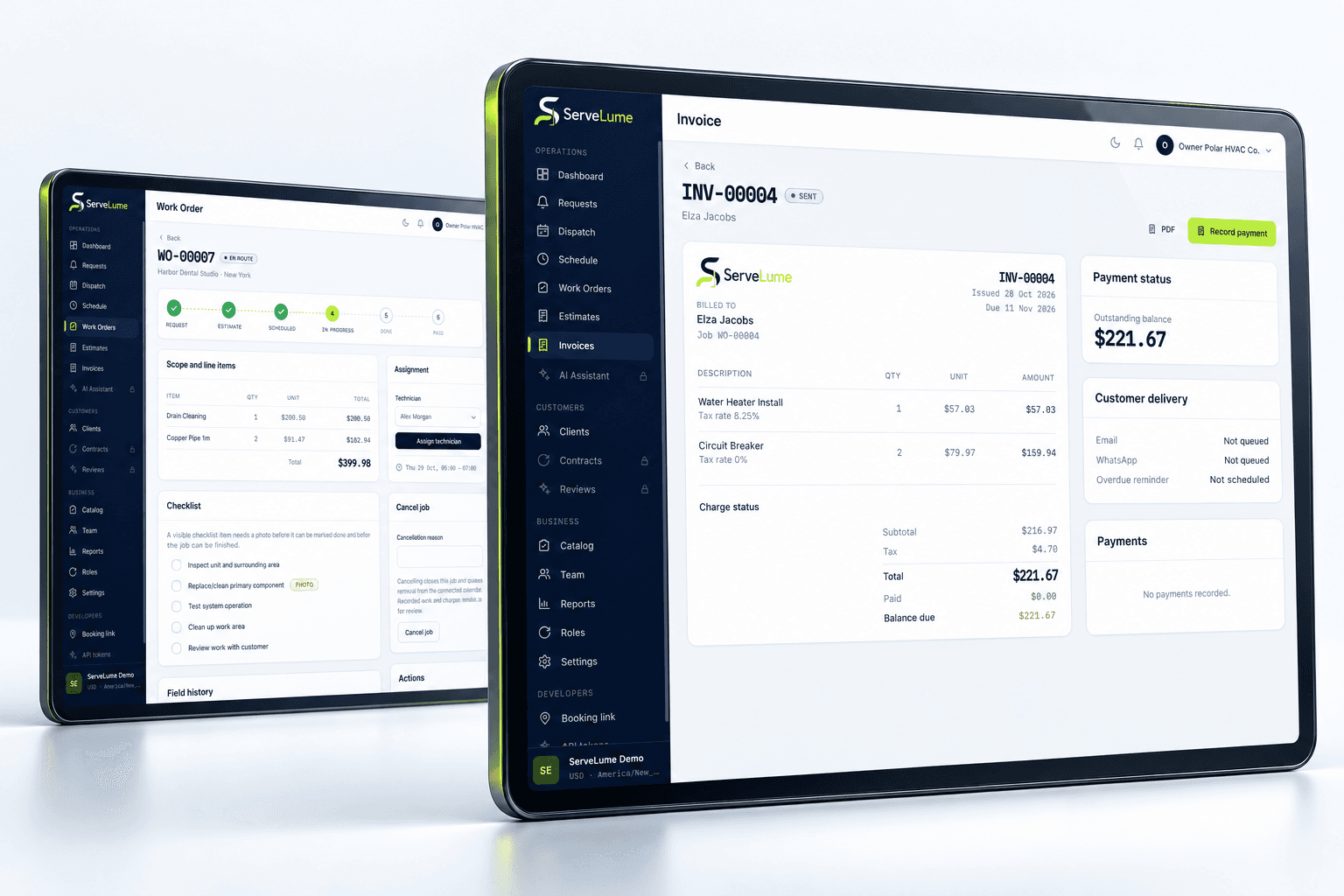
THE DETAILS CONNECT THE WORK
The next billing step depends on the record left by the job. Field service invoicing software should help your office review completed work with its context, rather than turn a short status update into a customer invoice without explanation.
- Completed work in context
- Material review before billing
- Clear customer-facing next steps
01 / Start with the service record
Bring the work into the billing conversation.
An understandable invoice starts with an understandable job. Review the original request, agreed scope and field result together before deciding what to bill. ServeLume connects job and invoicing workflows so the office has a clearer starting point for the commercial handover.
The attending technician and billing colleague may not share the same perspective. Notes should explain what was completed, what remains open and what needs approval. Keep recommendations distinct from completed work so a suggestion for a future visit is not accidentally treated as an authorised current charge.
- Review the original scope and result
- Keep field context available to the office
- Separate recommendations from completed work
02 / Review before requesting payment
Keep commercial decisions deliberate.
Recorded materials and service notes help explain the visit, but the business still controls pricing, customer approval and invoice review. Use the job handover to identify the information your office needs before preparing the invoice.
Confirm whether an item was used, proposed or returned. Review authorised changes and follow your own approval process for extra work. A software workflow does not independently establish tax treatment, customer liability or a promise that every billing rule used in your country is automatically configured.
- Review relevant material records
- Check agreed changes before billing
- Keep prices and terms under business control
03 / Follow the next action
Connect the invoice with a clear handover.
Preparing an invoice, requesting payment and confirming settlement are different events. Keep the office clear about which step has occurred and which action remains. The service record should support an understandable customer conversation when a billing question arrives.
Available payment features depend on provider configuration, merchant account, country and device eligibility. An invoice or payment request is not proof of funds received. Review the actual product status and follow your reconciliation process rather than inferring settlement from a document being created.
- Distinguish an invoice from payment status
- Keep customer questions connected to the job
- Review provider requirements before collection
A PRACTICAL WAY TO WORK
A clear path. From one person to the next.
Make the handover deliberate, at every stage of the service.
- 01
Understand the work
Review scope, attendance and field evidence. Confirm the result and any outstanding item before preparing the commercial record.
- 02
Prepare and review
Check the material details, agreed changes and prices using your business's invoice process. Keep approval responsibilities explicit.
- 03
Confirm the next step
Communicate the invoice or payment action clearly. Verify actual status through the product and your reconciliation routine.
BUILT TO BE EVALUATED BY YOUR TEAM
Follow a job all the way to the office review.
Choose a sample service with a material entry and a change in scope. Have the technician finish the field record, then ask the office to prepare the billing handover without another explanation. Check that proposed work, completed work and any returned part remain distinct. Review your country, provider and account configuration before relying on tax or payment behaviour.
Discuss your workflowA FEW USEFUL ANSWERS
Clarity before you commit.
Understand the workflow, the requirements and the boundaries.
01What is field service invoicing software?
It connects the information from a service job with the billing workflow. ServeLume focuses on keeping the job context available to the office while your business remains responsible for prices, review and customer commitments.
02Are plan prices shown on this feature page?
No. Current active plans, currency and billing periods come from the product backend on the pricing page. Use that source rather than a repeated amount that could become outdated.
03Does a completed visit mean every item is ready to bill?
Not always. Review the actual scope, outstanding work, material treatment and approval requirements. Completion of attendance should remain distinct from acceptance of an additional customer charge.
04Does an invoice confirm payment settlement?
No. Preparing an invoice or sending a payment request is not the same as receiving funds. Review the actual payment status and follow the reconciliation process appropriate to your configured provider.
YOUR NEXT CONNECTED WORKDAY
Bring the whole job
into the picture.
Start with a real workflow question. Explore the product with the people who plan the work and the people who do it.