
ServeLume / Field service scheduling software
A clearer plan.A connected team.
Bring office planning and assigned field work into the same conversation, even when the day changes.
Explore your workflow · Review live plans · Bring your team
THE DETAILS CONNECT THE WORK
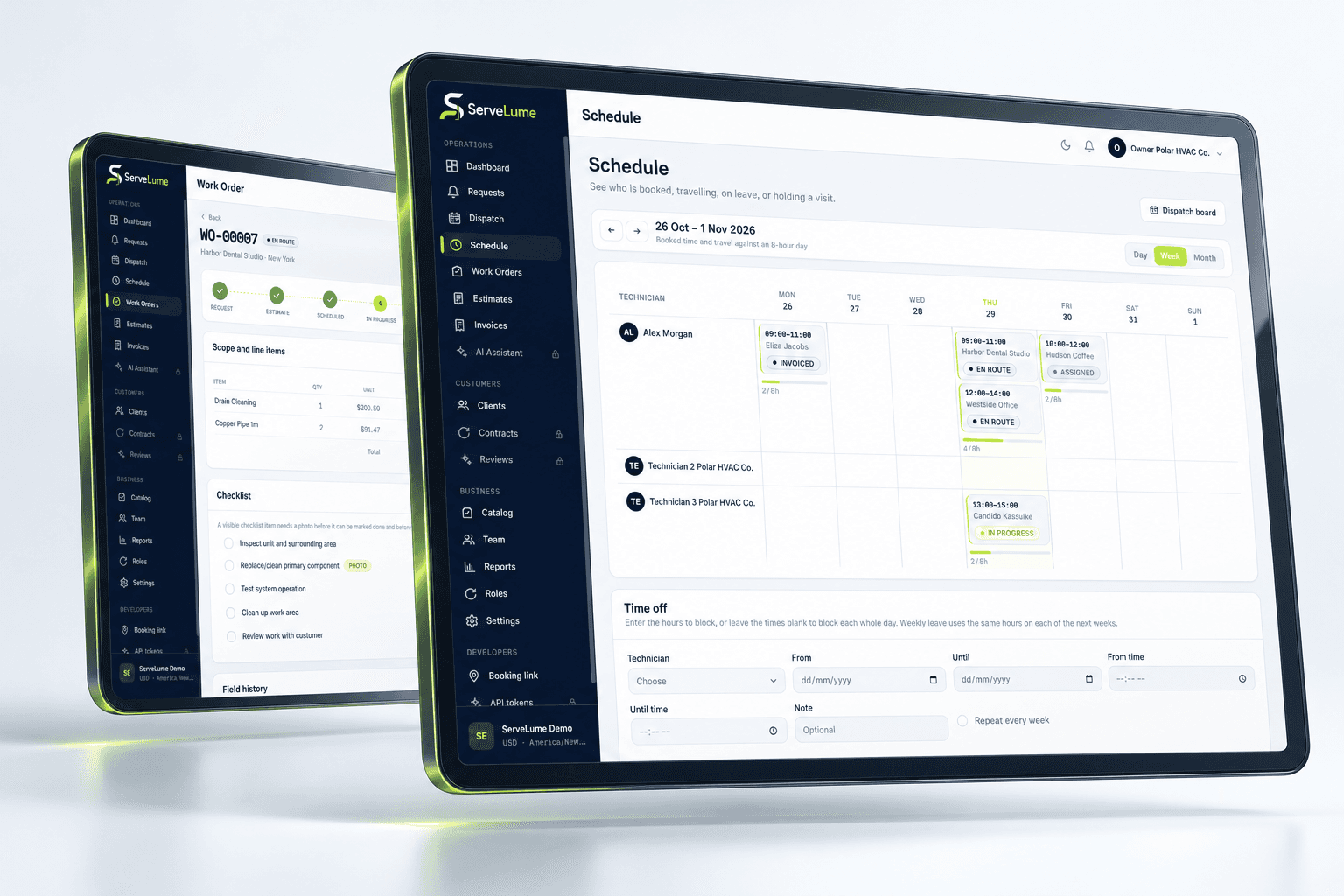
The day rarely follows the original plan exactly. Field service scheduling software should connect the booking to the people and job details behind it, so your office can make informed adjustments and your team can prepare for the next visit.
- A shared schedule
- Clear assigned visits
- Job details before travel
01 / A practical view of the day
Plan visits with the job in view.
A time on the calendar is only one part of a workable appointment. Keep the service request, location and relevant instructions connected to the scheduling decision. Your office can review what the visit involves before assigning it to a member of the field team.
Use a clear planning routine: confirm the customer, check access arrangements and identify dependencies such as parts or approvals. Scheduling software supports coordination, but the dispatcher remains responsible for realistic allocation and customer communication. A booking is not a guarantee that every condition is ready.
- Connect bookings with their work orders
- Review the practical context before assignment
- Prepare the next service visit deliberately
02 / From booking to brief
Give your technician more than a time slot.
Technician scheduling works better when the assigned person can find the information behind the appointment. ServeLume connects office planning with assigned field jobs, helping your team review the work, identify the site and understand the brief before travelling.
Whether your team calls them tradies, engineers or technicians, the handover needs to explain the service. Keep relevant contact details and instructions understandable. Make changes explicit and agree how your office communicates them; do not assume an assigned calendar entry replaces a conversation about an urgent exception.
- Bring assignment and job context together
- Help field staff prepare before attendance
- Keep customer instructions close to the booking
03 / When the day changes
Keep dispatch grounded in the work.
A delayed visit, new finding or return appointment can change the day. A connected field service dispatch workflow gives your office a place to review job context before deciding what comes next. Keep the service record useful as plans evolve.
Travel and attendance are explicit job actions. Location sharing depends on permission and active-job settings; it is not a promise of continuous employee tracking or guaranteed arrival times. Review the actual status and use your own communication process to keep colleagues and customers informed when a plan changes.
- Review the record before adjusting the plan
- Make attendance and travel actions explicit
- Preserve context for incomplete and return visits
A PRACTICAL WAY TO WORK
A clear path. From one person to the next.
Make the handover deliberate, at every stage of the service.
- 01
Confirm the visit
Review the request, site instructions and prerequisites. Start with a booking that your office and customer can understand.
- 02
Assign with context
Connect the visit to the field team. Make sure the attending person can review the relevant job details before travel.
- 03
Review changes
Use job actions and field records to inform the next scheduling decision. Communicate revised arrangements through your agreed process.
BUILT TO BE EVALUATED BY YOUR TEAM
Evaluate the day that does not go to plan.
Try an ordinary appointment, a delayed service call and a job requiring a return visit. Review how your office allocates work and how the field person finds the revised context. Include customer communication and parts readiness in the exercise. A useful evaluation tests your actual scheduling routine rather than assuming route optimisation, automatic dispatch or a particular productivity result is included.
Discuss your workflowA FEW USEFUL ANSWERS
Clarity before you commit.
Understand the workflow, the requirements and the boundaries.
01What does field service scheduling software help organise?
It connects planned appointments, assigned people and the jobs behind the visits. ServeLume helps the office share relevant context with field staff while leaving allocation and customer commitments under your team's control.
02Is scheduling the same as route optimisation?
No. A schedule and assigned-job workflow should not be interpreted as a guarantee of automated routing, the shortest journey or a particular arrival time. Evaluate the current product against the specific planning tools your team needs.
03Can technicians review their assigned work?
The field workflow is centred on assigned jobs and their details. During evaluation, confirm the account permissions, device and particular information your staff need before and during a service visit.
04Does ServeLume continuously track every technician?
Do not assume continuous tracking. Location-related actions depend on permissions, settings and active-job behaviour. Review the actual workflow and your business's staff privacy and communication policies before using location features.
YOUR NEXT CONNECTED WORKDAY
Bring the whole job
into the picture.
Start with a real workflow question. Explore the product with the people who plan the work and the people who do it.