
appliance repair software
Diagnosis to repair. Keep the story together.
Connect appliance diagnosis, parts decisions, return visits and repair records with ServeLume.
14-day trial · Office + field · One shared workspace
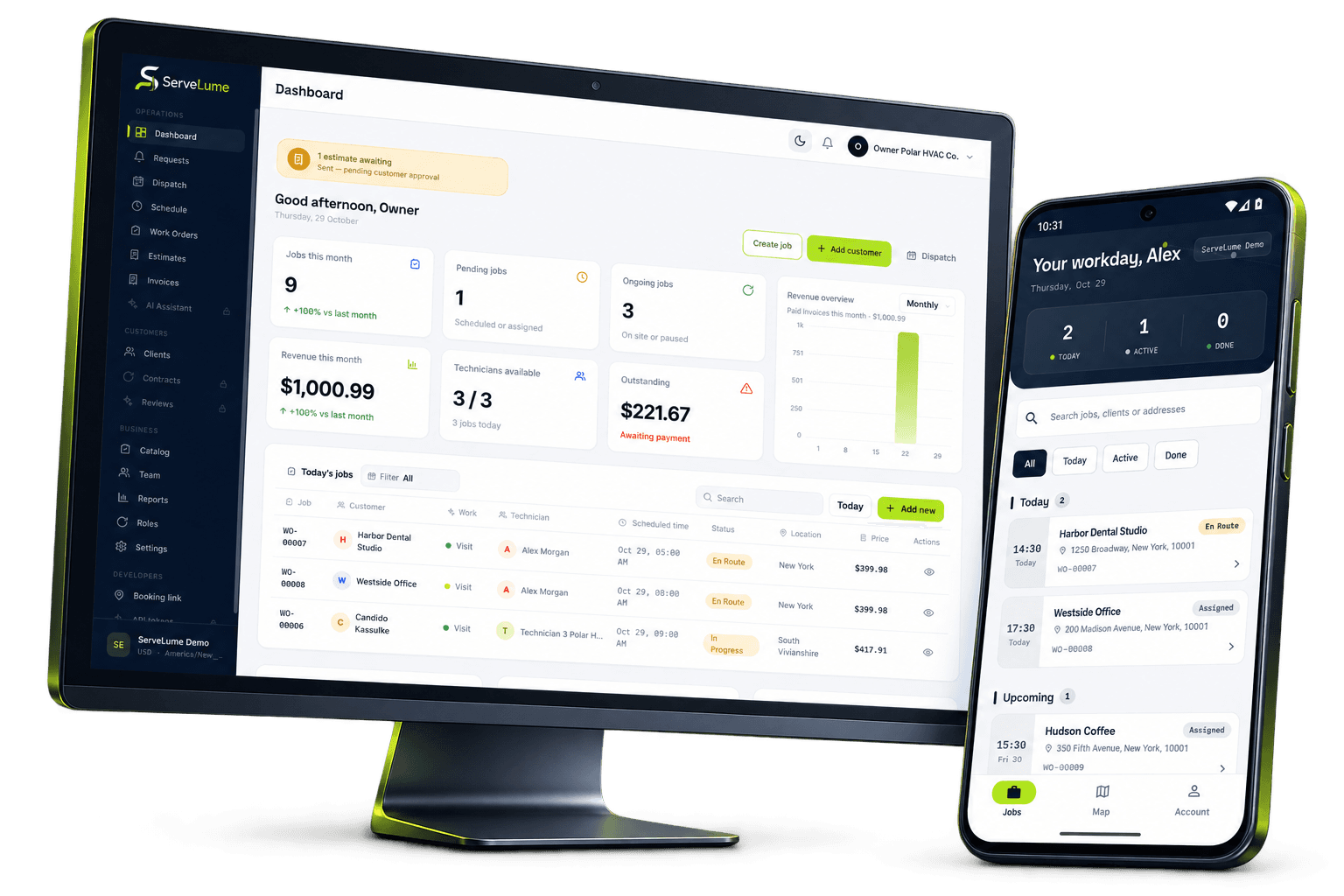
Less scattered information. A clearer workday.
Connect parts decisions with the next visit.
The job changes. The context stays connected.
Appliance repair businesses connect a customer’s description, a technician’s findings, a parts decision and a completed repair. The work can cross several visits, and the office needs to understand the sequence without reconstructing it from separate messages. ServeLume brings work orders, assigned field jobs, materials and proof of work into one workspace so the repair team can preserve what was requested, what was found and what still needs to happen.
From the office to the next visit
Good work starts
with a clear handover.
Capture the appliance details that help the visit
A useful booking identifies the appliance, the reported symptom and the customer’s contact information. Record model or serial details already provided, while making clear whether they have been verified. A customer’s description may be incomplete or refer to a product label that does not identify the exact equipment. Treat the information as a starting point for investigation rather than a confirmed technical conclusion.
Confirm who can provide access and who is responsible for approving the repair. A tenant, property manager and owner may have different roles. Keeping those contacts clear helps the office arrange the visit and avoids assuming that the person opening the door can approve a change in scope or expenditure.
Separate diagnostic attendance from an approved repair
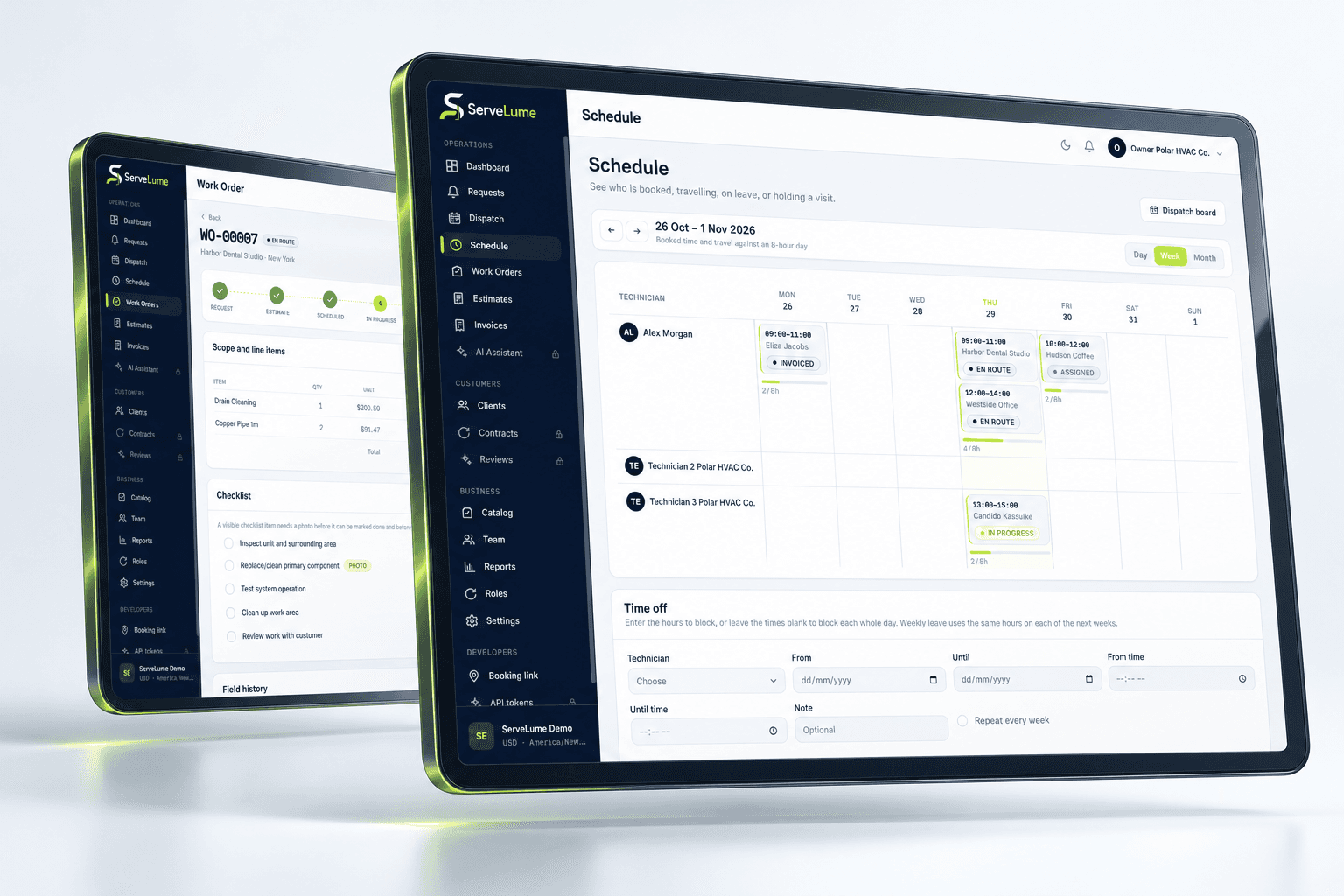
An inspection visit and a repair appointment have different purposes. The work order should explain whether the technician is investigating a fault, completing agreed work or returning with an approved part. If a return visit depends on supply, customer approval or another condition, record that dependency instead of creating an appointment that appears ready to proceed.
ServeLume supports organising the schedule and sharing the relevant details with the field team. It does not promise that a particular fault can be repaired, that a part is available or that every manufacturer’s warranty process is integrated. Use the evaluation to check the actual workflow your business needs rather than assuming those capabilities from the phrase appliance repair software.
Preserve the technician’s findings accurately
A good diagnostic note explains the observed condition, the checks performed and the limits of the investigation. A customer may report that an appliance does not start, while the technician observes a more specific or intermittent issue. Keep those statements distinct. Avoid broad phrases that could be interpreted as a complete assessment when access, time or the appliance condition limited what could be checked.
The mobile workflow provides assigned job information and a place to attach notes and evidence. If equipment details differ from the original booking, record the correction with enough context for the office and a future technician to understand it. Clear findings make a follow-up easier to prepare without turning an observation into an unsupported guarantee about the outcome.
The details that matter
Connect the parts decision to the job history
A replacement part should have a clear relationship to the repair being proposed or completed. Record its description, quantity and status. Distinguish an item awaiting approval from one that has been obtained or installed. If an item is unsuitable or returned, preserve the reason so the office does not assume the original repair plan remains unchanged.
ServeLume includes recorded-material and equipment-related service workflows. Evaluate how those fit the identification and handover process your business uses. A part entry does not establish compatibility, manufacturer approval or warranty eligibility. Your qualified team remains responsible for confirming technical suitability and following any supplier or manufacturer process relevant to the work.
Office and field, connected
Capture evidence that explains the completed repair
Photographs, checklists and notes can help demonstrate the condition and work performed. Give each image a purpose and avoid including unrelated customer documents or private areas of the property. A photo of a component or label is more useful when the job record explains why it matters. Notes should identify completed work and any remaining limitation or unresolved question.
Your business remains responsible for safe working methods, qualifications, electrical or gas requirements where applicable and any mandatory technical documentation. ServeLume helps organise the service record; it does not determine whether an appliance is safe to use or whether a particular repair meets every relevant standard. Keep those decisions within your approved professional process.
A clearer next step
Make return visits understandable to a different technician
A repair may be completed by someone other than the person who attended the first visit. The record should let that technician understand the original request, the findings, the approved work and any relevant materials. Avoid relying on an informal conversation that is unavailable to the next person. State what needs to be checked or completed at the return visit and identify any dependency that still exists.
The office also needs a clear status. A diagnostic attendance can be finished while the repair remains open. Preserve both facts so scheduling, customer communication and billing are based on the same understanding. A completed appointment should not hide a repair waiting for approval or a part that has not arrived.
Make it work for your business
Built around the whole job.
Evaluated by your team.
Give billing a clear account of the service
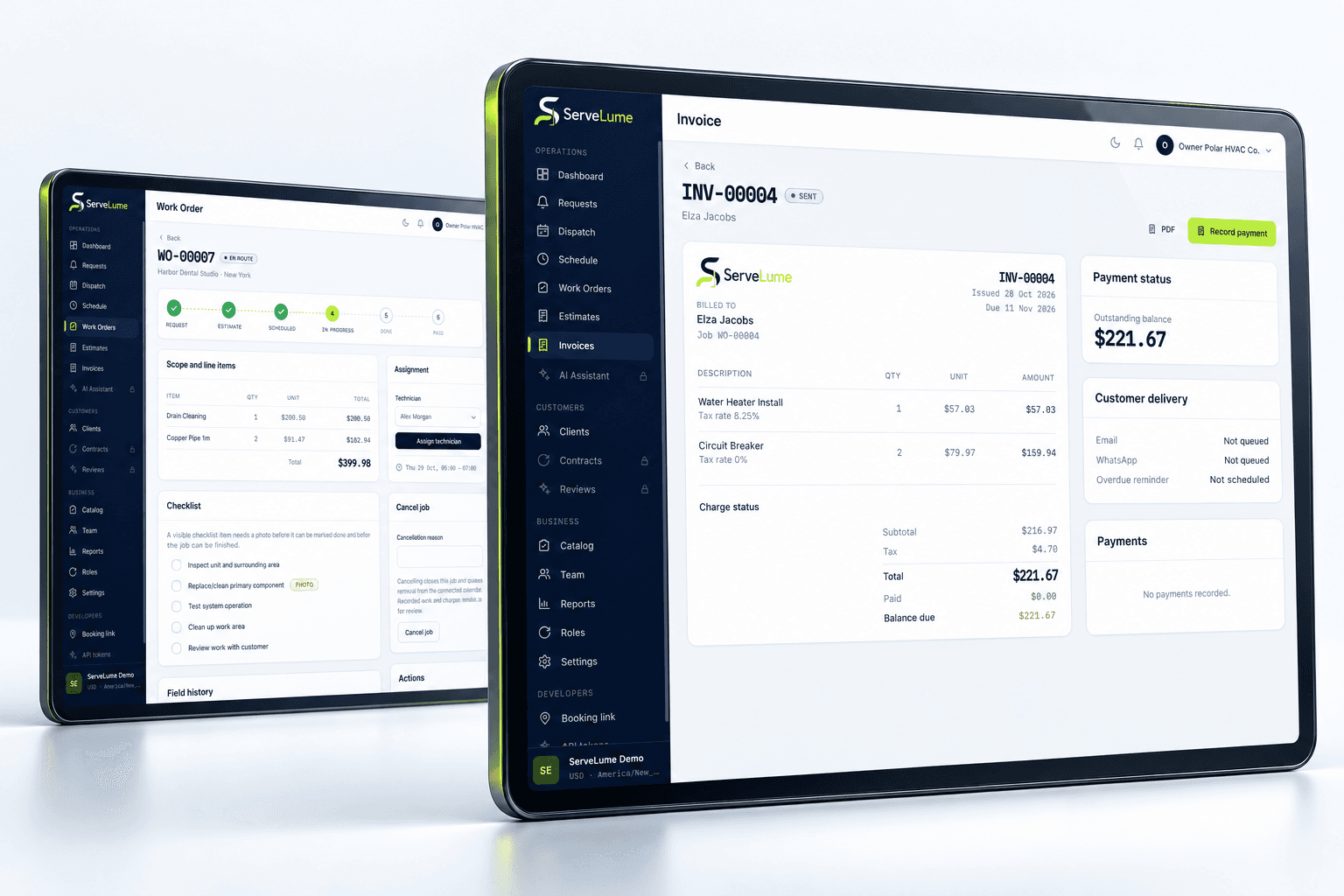
Before preparing an invoice, review the agreed diagnostic or repair scope, authorised changes, completed work and material records. The customer should be able to recognise what they are being charged for. Keep proposed work separate until it has passed through your business’s approval process, and avoid treating every field recommendation as an automatic additional charge.
Your business controls prices, tax settings, warranty commitments and payment terms. ServeLume supports the path from job records to billing, while payment options depend on the configured provider, merchant account, country and supported device. Test the actual review process during the trial, including who confirms commercial details when a job has involved more than one visit.
Evaluate appliance repair job management using real scenarios
Choose a straightforward repair and a diagnostic job that may require a part and a return visit. Use synthetic or appropriately authorised data. Ask the office and technician to follow the record independently and explain the current status, the customer’s decision and the next action. This is a practical way to identify missing information before adopting a wider workflow.
Australian appliance service businesses, UK domestic appliance repair teams and US appliance repair contractors may work with different commercial terms and local requirements. Review the currency, customer documentation and professional obligations relevant to your operation. A connected record should support your service model without implying that the same repair process or warranty arrangement fits every appliance and location.
Put the workflow to work in your trial
A useful software evaluation follows a complete job rather than stopping at account creation. Choose a representative request, agree its scope, assign the field work and record a realistic outcome. Then ask someone in the office to review the job without relying on a separate conversation. They should be able to explain the completed work, any unresolved issue and the next commercial or operational action. Where the record is unclear, identify whether the team needs a different habit, a clearer description or a product capability that should be checked with ServeLume.
New ServeLume workspaces start through the product registration flow. A mobile number with country code is required. Confirm the email address first, then verify the mobile number using a WhatsApp code, with SMS available as the fallback channel. Verification messages are for account security; they are not a replacement for a customer messaging or marketing consent process. The product backend confirms the active plan and the fourteen-day trial policy. Check the current pricing page for the plan, currency and billing period instead of relying on an amount quoted in an old article.
Use synthetic or appropriately authorised information while evaluating the product. Keep passwords, payment card details and unnecessary personal information out of demonstration job notes. Confirm the roles, devices, integrations and local requirements your business needs before moving an operational team into a new system. If an essential workflow is unclear, contact the ServeLume team with a concrete example so the discussion can focus on the work you actually perform.
Your next connected workday
Bring your office and field team together.
Explore your job workflow with a 14-day trial, then choose the plan that fits your business.