
field service management software
Your specialist work. One connected workspace.
Build a connected office-to-field workflow around the specialist services your business delivers.
14-day trial · Office + field · One shared workspace
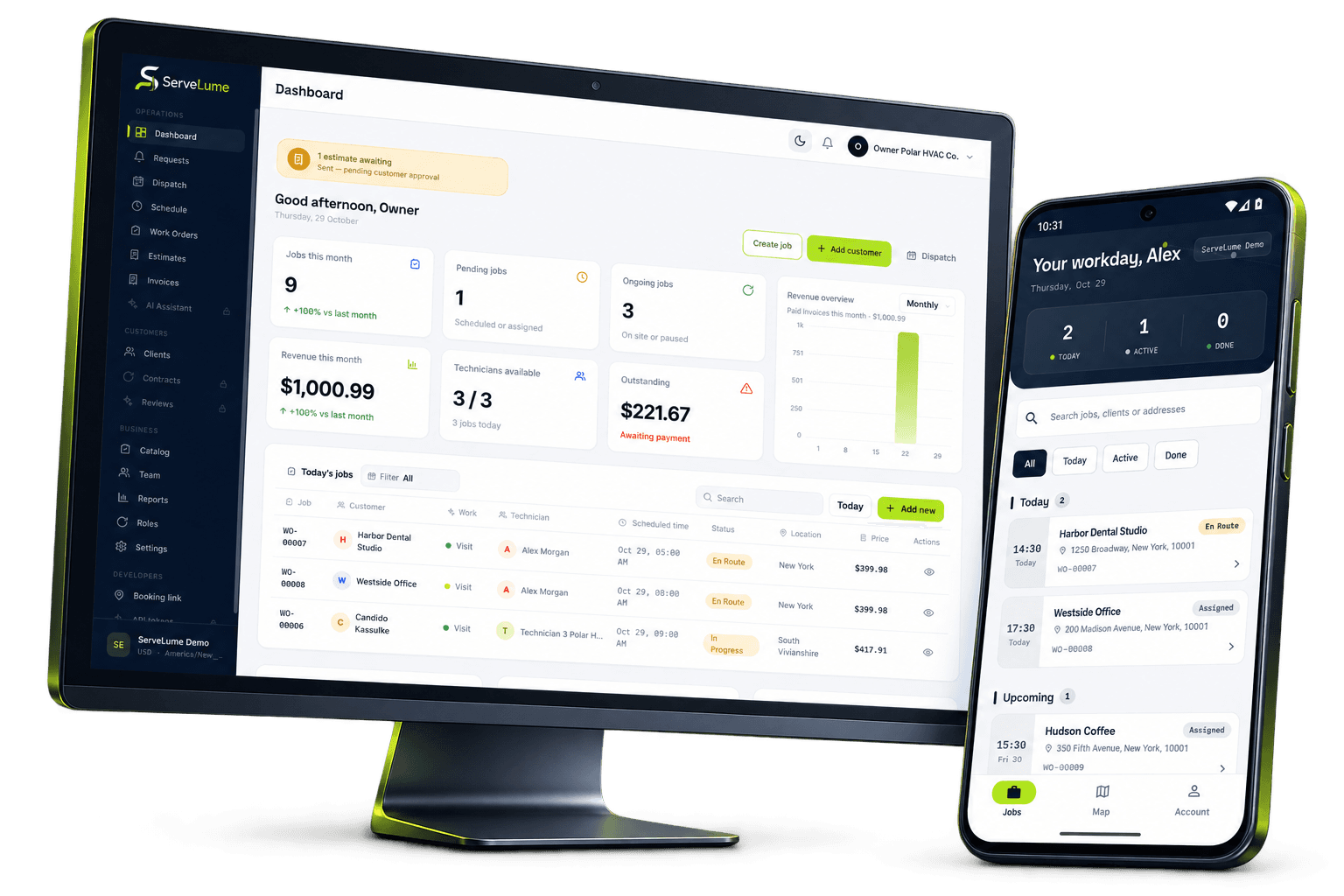
Less scattered information. A clearer workday.
Build your workflow around the way you work.
The job changes. The context stays connected.
Not every service business fits a familiar trade category. Your team may maintain specialist equipment, carry out property services or provide a combination of on-site tasks that changes from customer to customer. The common challenge is connecting the request, the attending team and the account of the completed work. ServeLume brings work orders, assigned field jobs, materials and proof of work into one workspace so you can evaluate a shared process around the service your business actually delivers.
From the office to the next visit
Good work starts
with a clear handover.
Start with the sequence of work, not an industry label
Before choosing service management software, map a representative job from the first request to the final office action. Identify who receives the enquiry, who agrees the scope, who attends the site and who reviews the result. A specialist business may have different job types, but those responsibilities still need to be clear. Use the map to decide which information must survive each handover.
Avoid assuming that a broad software category includes every specialist form, calculation or regulatory process your business requires. A useful evaluation distinguishes the operational workflow from the technical tools used to perform the service. ServeLume supports the organisation of jobs and records; your team should confirm where a specialist system remains necessary.
Make the request understandable before the visit
A work order should explain what the customer has asked for, where the work is expected to happen and who can provide access. Distinguish a customer’s report from a confirmed technical finding. If the request is unclear, preserve the open question rather than allowing a vague description to become the accepted scope of the job.
Identify the person authorised to approve commercial changes as well as the site contact. These may be different people, particularly where a business manages several properties or provides services through an intermediary. Clear contact roles help the attending team know whom to approach while helping the office route approvals through the appropriate process.
Organise appointments around practical dependencies
A scheduled visit may depend on access, materials, equipment, customer approval or another team completing a task. Record the dependencies that matter so an appointment does not look ready to proceed when important arrangements remain open. If the plan changes, preserve a clear next action that someone in the office can understand without searching through separate conversations.
ServeLume gives the business a place to organise work and share relevant information with assigned field staff. It does not guarantee a particular attendance time, route optimisation result or level of productivity. Your dispatcher and team remain responsible for realistic planning, customer communication and deciding whether the circumstances are suitable for the work being proposed.
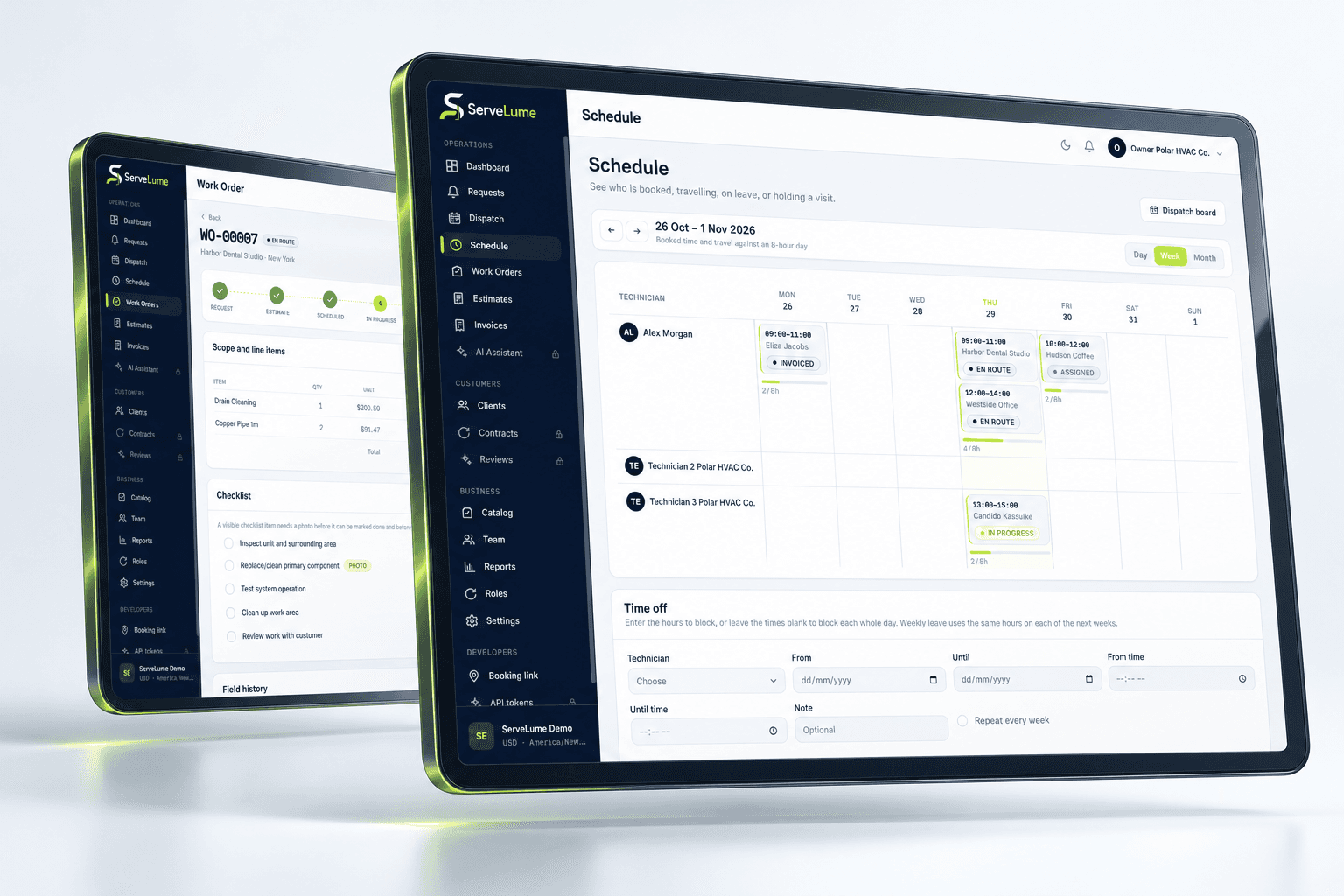
The details that matter
Give field staff a practical and bounded brief
The person attending should know the agreed purpose of the visit and where to find relevant job information. Separate standard instructions from unusual requirements so the details that matter are easy to notice. Where previous work is relevant, describe what it actually established and identify any limitation. A short but precise record often provides more value than a long description copied from an unrelated job.
ServeLume Field supports assigned job information and job-linked records. When the situation on site differs from the brief, record the observation and use your approved process to decide the next step. A field note should not silently create a new scope, price or technical commitment without the appropriate authorisation.
Office and field, connected
Define what a complete service record means
Agree a close-out standard appropriate to your business. It might include the current status, a description of completed work, relevant photos, checklist outcomes, materials and any outstanding action. Notes should explain exceptions rather than letting an apparently finished appointment hide a job that still requires a decision. A later team member should be able to understand the result without having been present.
Photographs and customer sign-off can support the record, but they need a clear purpose. Avoid collecting unrelated personal information or sensitive site details. Your business remains responsible for deciding what evidence is appropriate and for obtaining any permission needed. A signature or ticked checklist is not automatically proof that a specialist technical or legal requirement has been met.
A clearer next step
Keep materials and equipment activity explainable
When a job involves materials or equipment servicing, record the relationship between the item and the work. Distinguish what was used, supplied, inspected, proposed or returned. An unexplained quantity or abbreviation may not tell the office whether the entry belongs to a customer charge, an internal cost or a recommendation for further work.
ServeLume includes recorded-material and equipment-related service workflows. Evaluate them against your business’s identification and handover needs. A general equipment record should not be assumed to contain every specialist field, calculation or certificate your industry requires. Confirm the actual product behaviour using a realistic example before making it part of your operational process.
Make it work for your business
Built around the whole job.
Evaluated by your team.
Preserve the commercial sequence through to billing
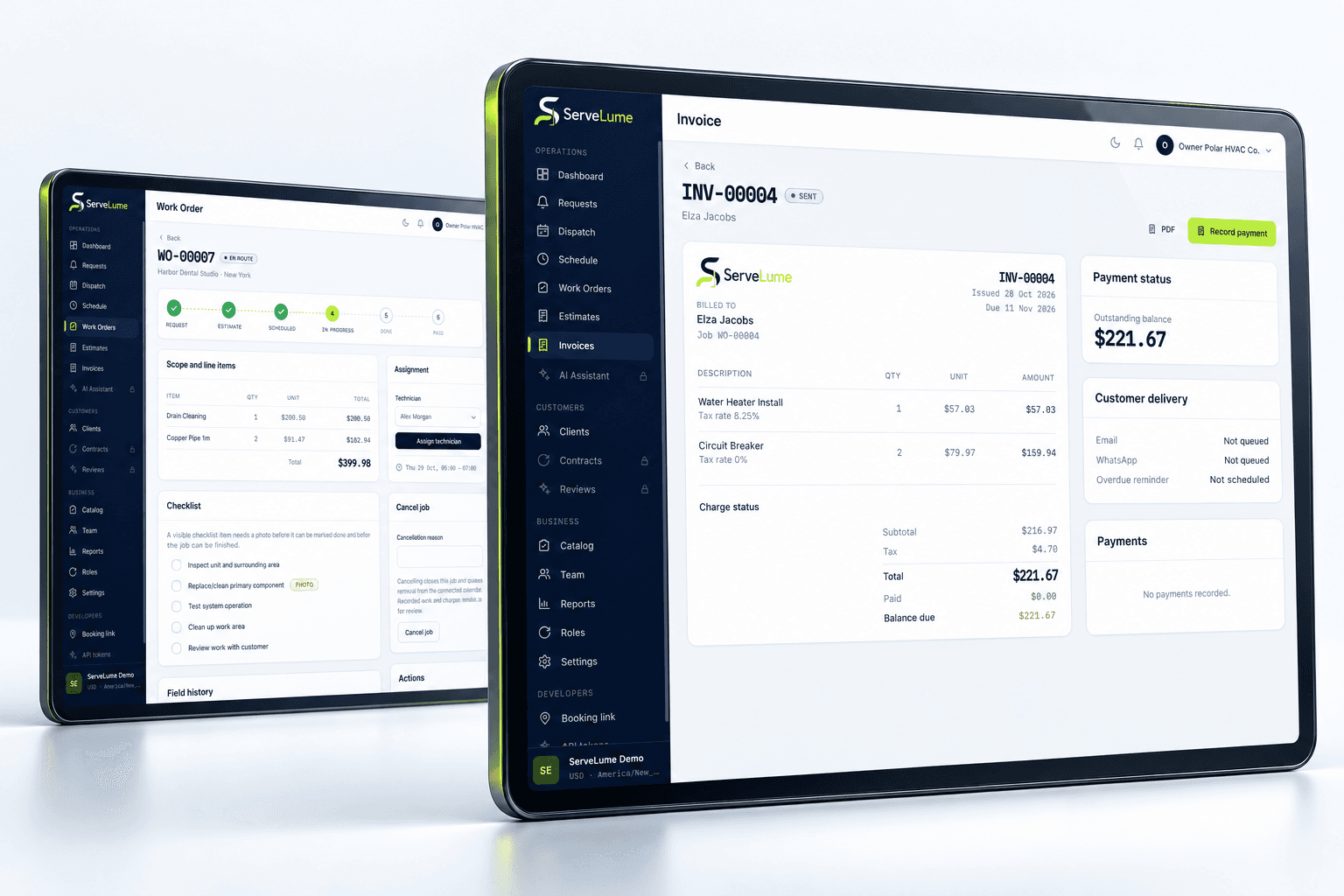
A service visit may produce completed work and a separate recommendation. Keep those outcomes distinct so the office understands what the customer has already agreed to purchase and what still needs approval. Before preparing an invoice, review the original scope, any authorised changes, the completion record and the relevant materials.
Your business controls prices, tax treatment and payment terms. ServeLume supports the connection between job records and billing, while payment options depend on the configured provider, merchant account, country and supported device. During the trial, test how the office reviews a job that contains both a finished task and an outstanding action. A billing step should not erase the operational context.
Evaluate specialist service software with the right examples
Choose a straightforward job and a more complicated case involving a change or follow-up. Use synthetic or appropriately authorised data. Ask the office and field team to assess the same record independently: what was agreed, what happened, what remains open and who is responsible for the next action? Their answers will reveal whether the handover is clear enough for your business.
Service businesses in Australia, the UK and the US may share operational needs while facing different commercial, licensing and documentation requirements. Review those obligations with the responsible people in your organisation. A connected workspace can support your process, but it does not replace the professional judgement, specialist tools or customer agreements required for your particular service.
Put the workflow to work in your trial
A useful software evaluation follows a complete job rather than stopping at account creation. Choose a representative request, agree its scope, assign the field work and record a realistic outcome. Then ask someone in the office to review the job without relying on a separate conversation. They should be able to explain the completed work, any unresolved issue and the next commercial or operational action. Where the record is unclear, identify whether the team needs a different habit, a clearer description or a product capability that should be checked with ServeLume.
New ServeLume workspaces start through the product registration flow. A mobile number with country code is required. Confirm the email address first, then verify the mobile number using a WhatsApp code, with SMS available as the fallback channel. Verification messages are for account security; they are not a replacement for a customer messaging or marketing consent process. The product backend confirms the active plan and the fourteen-day trial policy. Check the current pricing page for the plan, currency and billing period instead of relying on an amount quoted in an old article.
Use synthetic or appropriately authorised information while evaluating the product. Keep passwords, payment card details and unnecessary personal information out of demonstration job notes. Confirm the roles, devices, integrations and local requirements your business needs before moving an operational team into a new system. If an essential workflow is unclear, contact the ServeLume team with a concrete example so the discussion can focus on the work you actually perform.
Your next connected workday
Bring your office and field team together.
Explore your job workflow with a 14-day trial, then choose the plan that fits your business.