
ServeLume / Job management software
Every job.One clear record.
From the first customer request to the final handover, keep the people, details and next steps together.
Explore your workflow · Review live plans · Bring your team
THE DETAILS CONNECT THE WORK
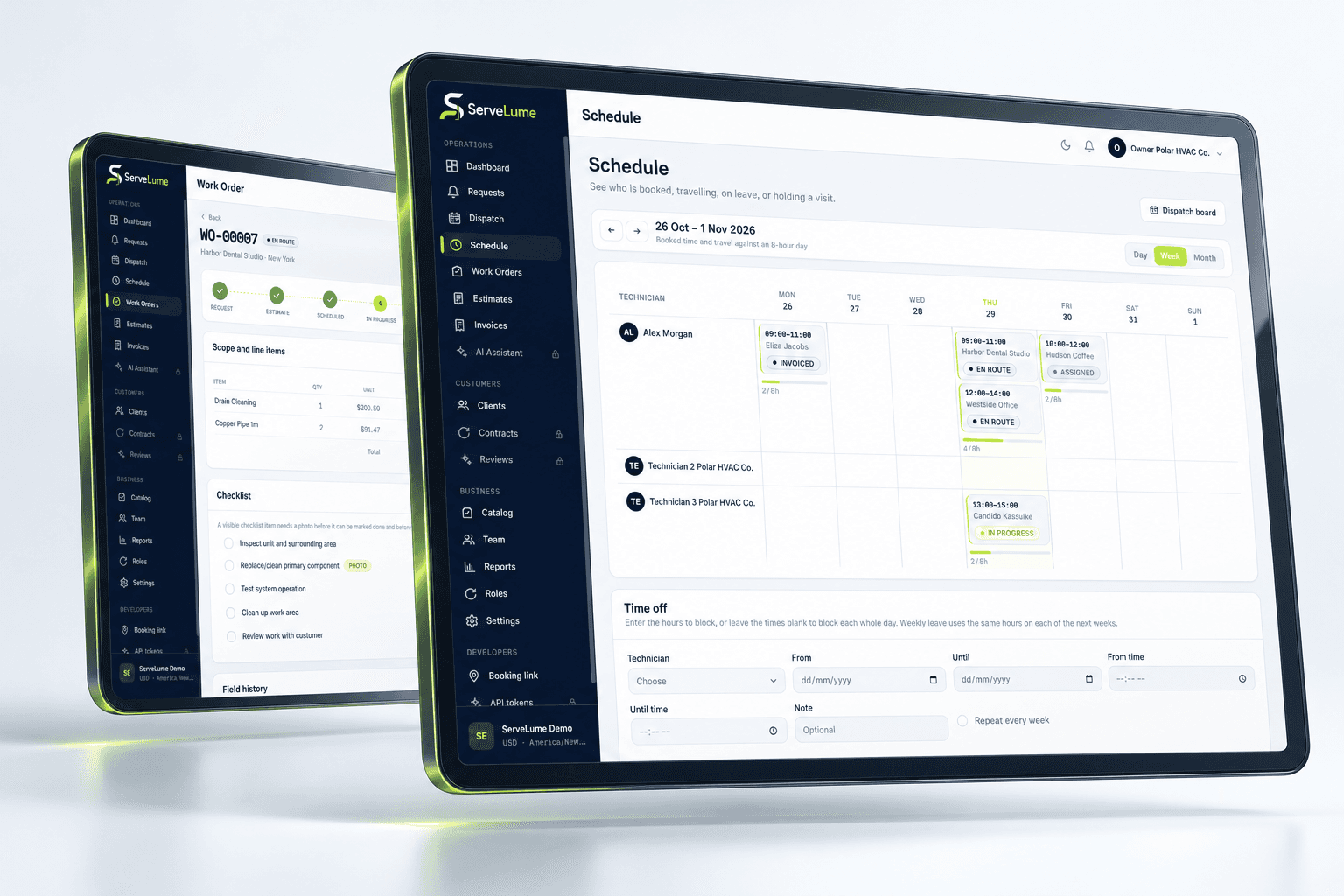
Your customer remembers the conversation. Your dispatcher knows the booking. Your technician sees the site. Job management software should help those perspectives meet in one useful record, rather than leave the next person to piece the story together.
- Customer and site context
- Assigned work orders
- A shared job history
01 / A stronger starting point
Turn the request into a useful work order.
A customer call is the beginning of the job, not the whole brief. Keep the location, contact, reported issue and intended scope together so the person doing the work can prepare before reaching the door. Work order management software gives the office a practical place to preserve what was agreed.
Separate the customer's description from confirmed findings. Add access instructions and relevant background without burying the essentials in a long message thread. A colleague who did not take the original call should be able to understand why the visit exists and what needs attention.
- Keep the service location with the request
- Make the intended scope understandable
- Prepare a clearer handover to the field
02 / Keep the work connected
Follow the job, not separate conversations.
A digital job card is most useful when it stays connected to the visit. ServeLume brings assigned field work and job-linked records into the same workflow. Updates made while the job progresses give the office context for its next conversation with the customer.
Treat job tracking as a record of deliberate actions, not a promise of automatic supervision. Your team remains responsible for reviewing changes, explaining exceptions and distinguishing a completed attendance from a wider job that needs another visit. The record should make those decisions easier to understand.
- Review assigned work with its context
- Keep notes and evidence beside the visit
- Distinguish progress from final resolution
03 / Context for the next visit
Keep a history worth returning to.
When a customer calls about earlier work, a useful job history helps your team start with context. Review the service record, what was observed and the action that followed. Customer job history software is valuable when entries explain the work rather than simply list dates.
Write notes for the next person who needs them. A concise description of a limitation, a relevant photo and a clear follow-up action can be more helpful than unexplained attachments. Keep personal information limited to legitimate service needs and review the available access controls during evaluation.
- Return to the original service record
- Understand findings and follow-up actions
- Give repeat visits a clearer starting point
A PRACTICAL WAY TO WORK
A clear path. From one person to the next.
Make the handover deliberate, at every stage of the service.
- 01
Capture the request
Record the customer, property and initial scope. Confirm the practical details before the job becomes an assigned visit.
- 02
Carry the context forward
Share the work order with the field team. Preserve relevant notes, materials and evidence as the attendance progresses.
- 03
Review the handover
Give the office a record it can understand. Confirm whether the job is complete, needs approval or requires a follow-up.
BUILT TO BE EVALUATED BY YOUR TEAM
Test a job your team actually recognises.
Choose a straightforward service call and a return visit. Ask an office colleague and a technician to follow both through the workspace. Can each identify the scope, understand the site and explain the outcome without a separate conversation? That is a practical way to evaluate job management software before changing your daily routine. Review the current plan and account requirements on the pricing page.
Discuss your workflowA FEW USEFUL ANSWERS
Clarity before you commit.
Understand the workflow, the requirements and the boundaries.
01What is job management software?
It brings a service request, work order, assigned visits and job-linked records into an organised workflow. For ServeLume, the focus is connecting office and field context rather than promising every specialist business tool in one product.
02Is a work order the same as a completed visit?
Not necessarily. An attendance may finish while the overall job still requires parts, customer approval or another visit. Your team should use descriptions and job actions that preserve this distinction for the office.
03Can we evaluate it for a small service business?
Yes. Use representative sample jobs and involve the person who plans the work as well as the person attending. Review current active plans and trial eligibility in the product before choosing a rollout.
04Does it replace specialist trade documentation?
A shared job record does not replace mandatory certificates, qualified judgement or a specialised technical system. Confirm the exact records your trade requires and evaluate the supported workflow against those requirements.
YOUR NEXT CONNECTED WORKDAY
Bring the whole job
into the picture.
Start with a real workflow question. Explore the product with the people who plan the work and the people who do it.