
ServeLume / Mobile field service app
The job goeswhere you go.
Put the right context in your technician's hands. Capture the work while the details are still fresh.
Explore your workflow · Review live plans · Bring your team
THE DETAILS CONNECT THE WORK
Useful field service software belongs with the person doing the job. ServeLume Field connects assigned work and site context with the actions your technician takes during a visit, so the office handover does not depend on memory at the end of the day.
- Assigned jobs on Android
- Records captured on site
- An office-ready handover
01 / Before you arrive
Bring the brief to the field.
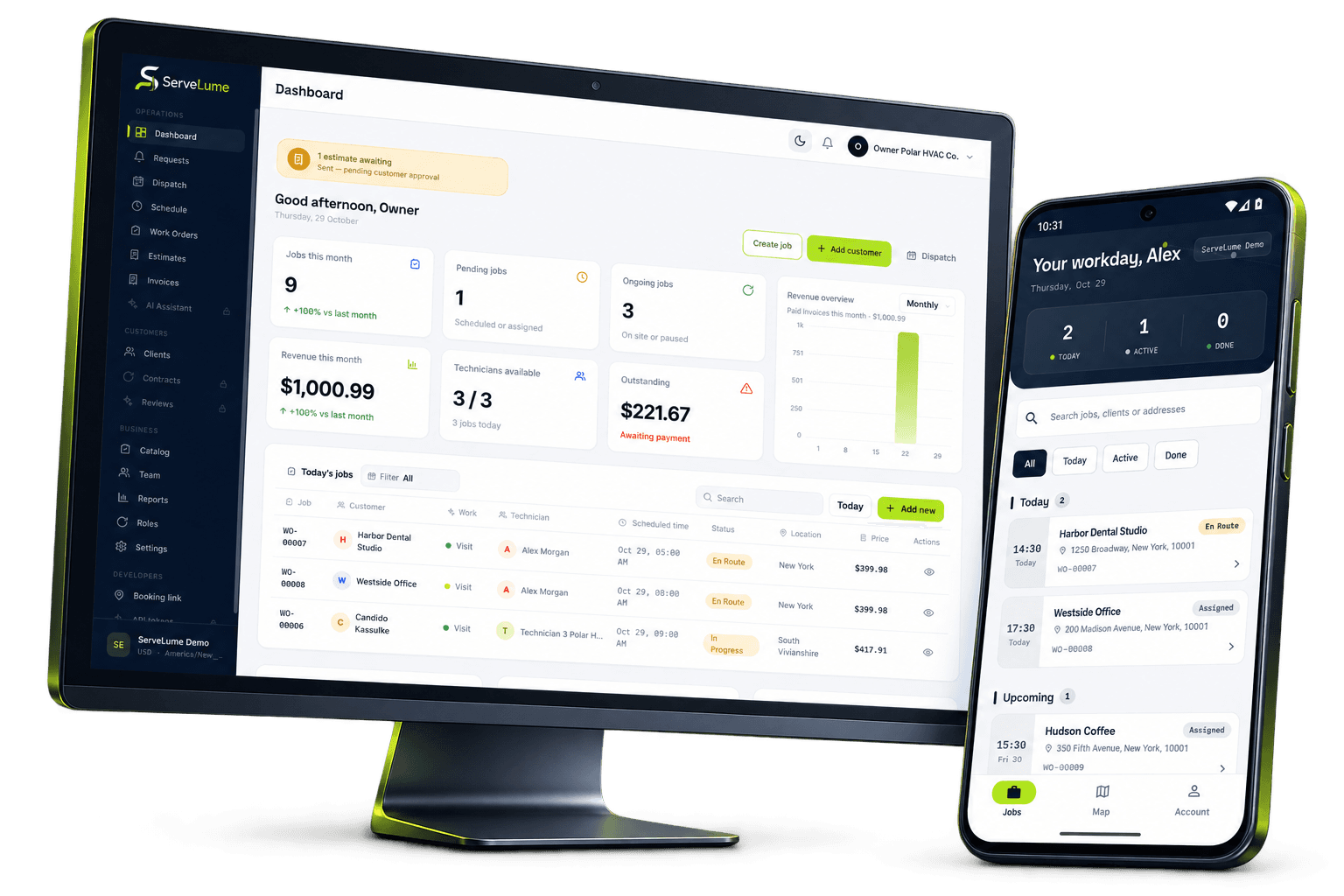
A mobile field service app should help the attending person recognise the job, find the property and understand the request. ServeLume Field puts assigned work into a phone-sized workflow with the job context your team needs to review before attendance.
Use the brief to confirm relevant access instructions and the purpose of the visit. Keep sensitive details limited to what the service genuinely requires. The real Android screen shown on this page uses sample data; evaluate the current app, supported device and workspace permissions before planning your operational rollout.
- Review assigned service jobs
- Keep site instructions with the work
- Prepare before reaching the customer
02 / While the details are fresh
Capture what the office needs to know.
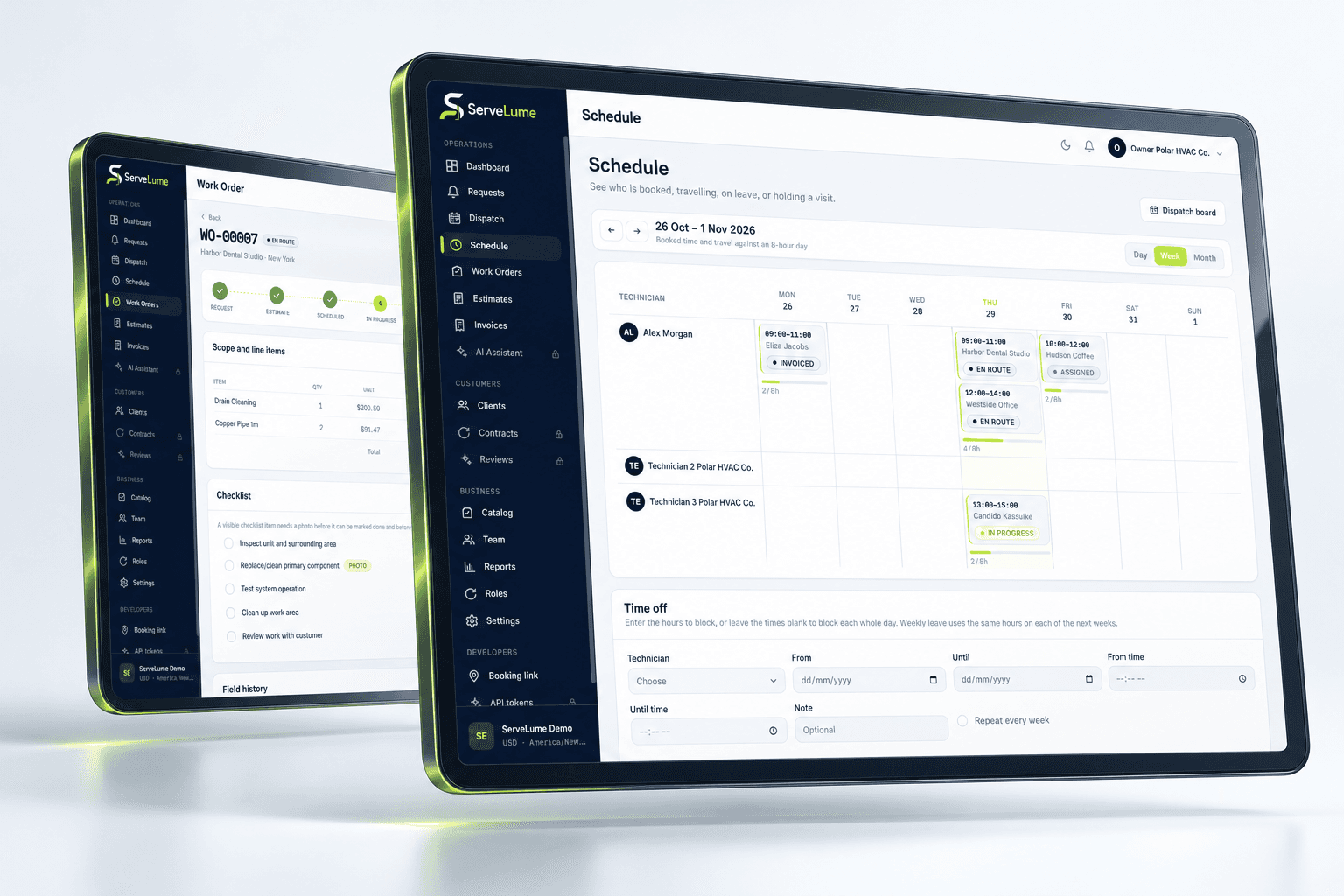
Photos, checklist responses, notes and customer signatures can help explain what happened on site. Record relevant information against the visit while the context is fresh, instead of asking the office to reconstruct it from separate messages or a technician's camera roll.
Agree on a useful standard before adding more administration. A clear observation should distinguish the reported issue from the confirmed finding, and an attachment should show the relevant condition. A signature follows your own acceptance process; it does not independently certify compliance or replace qualified judgement.
- Keep work evidence with its visit
- Complete the configured job checklist
- Preserve relevant materials and service notes
03 / Before the next call
Finish with a clearer next step.
A field visit should leave the next person with enough information to act. Review the result, identify incomplete work and describe any recommendation or required return. The mobile workflow helps connect attendance to the wider job rather than treating a status change as the whole story.
Connection quality, account settings and device permissions can affect individual actions. Test the exact mobile workflow that matters to your team and do not assume unlimited offline functionality. For payment-related actions, confirm provider, country, merchant and device eligibility before relying on collection during a service visit.
- Explain completion and outstanding work
- Keep recommendations separate from work done
- Give the office context for its next action
A PRACTICAL WAY TO WORK
A clear path. From one person to the next.
Make the handover deliberate, at every stage of the service.
- 01
Review your visit
Find the assigned job and understand the scope, site and relevant instructions before starting the attendance.
- 02
Record the work
Capture the relevant evidence, responses and material details while you are with the job. Keep notes clear and purposeful.
- 03
Hand it back clearly
Review the result and pending actions. Leave the office a service record it can understand before you move to the next visit.
BUILT TO BE EVALUATED BY YOUR TEAM
Put your real mobile routine through its paces.
Use a sample work order on the Android device your technician intends to carry. Review the screen size, connection conditions, account permissions and configured checklist. Ask an office colleague to interpret the finished record. Confirm app availability and supported versions before rollout; an accurate desktop or phone preview is not a substitute for testing your own mobile workflow.
Discuss your workflowA FEW USEFUL ANSWERS
Clarity before you commit.
Understand the workflow, the requirements and the boundaries.
01What is ServeLume Field?
It is the mobile field workflow for assigned jobs and job-linked actions. The focus is giving technicians useful context and preserving the result for the office, rather than replicating every desktop function on every device.
02Is the Android app publicly available?
The Google Play target for ServeLume is com.servelume.app. The listing returned unavailable when this page was prepared, so store links are labelled as awaiting publication. Confirm the live listing before planning installation.
03Can I assume all features work offline?
No. Offline behaviour depends on the specific action and current implementation. Evaluate your important tasks under representative connection conditions and confirm the supported limits with the team before relying on offline work.
04Does Android availability imply iPhone feature parity?
No. A genuine Android preview does not establish Apple distribution or identical device features. Confirm the current store listing, supported operating system and exact workflow for each device you intend to use.
YOUR NEXT CONNECTED WORKDAY
Bring the whole job
into the picture.
Start with a real workflow question. Explore the product with the people who plan the work and the people who do it.