
ServeLume / Field service payment software
The next step.Clearly accounted for.
Connect invoice context with your payment process, with clear expectations about eligibility and status.
Explore your workflow · Review live plans · Bring your team
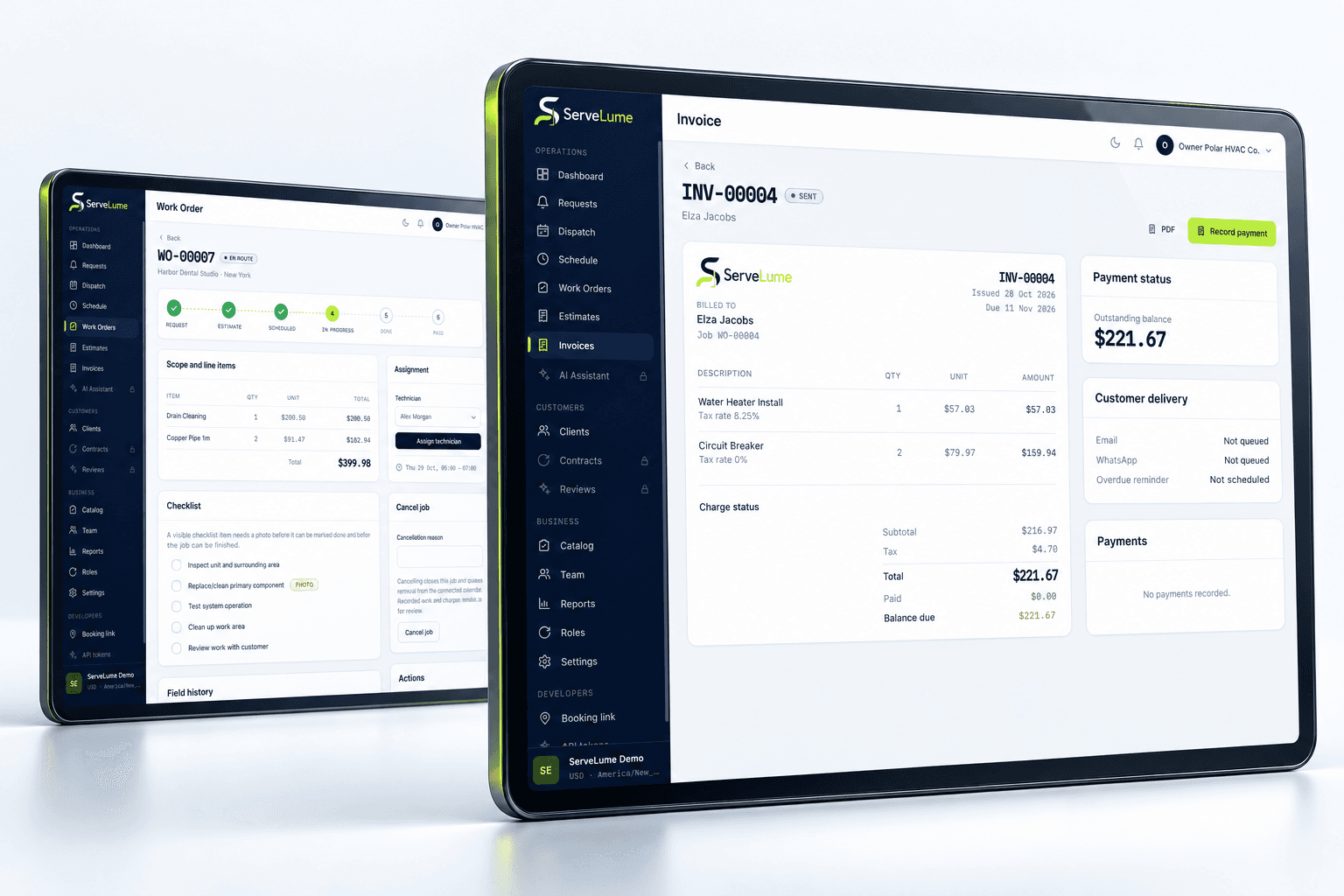
THE DETAILS CONNECT THE WORK
A service visit, an invoice and a settled payment each tell a different part of the story. Field service payment software should help your team keep those steps clear, with realistic expectations about the provider and device supporting collection.
- Invoice context for collection
- Explicit provider eligibility
- Clear payment-status review
01 / A clearer customer conversation
Begin with the agreed work.
Before requesting payment, the office needs to understand the completed service, authorised changes and relevant material records. Connect the billing conversation to the job so your team can explain the request with its original context.
Your business controls prices, terms and approval of extra work. A field finding or proposed part should not silently become a new charge. Use the connected service record to review what the customer agreed and which next action is appropriate before choosing a payment process.
- Review the job before requesting payment
- Preserve the context behind the invoice
- Keep customer approval explicit
02 / Know the requirements
Match the method to your configuration.
Payment capabilities depend on more than a feature name. Merchant account setup, payment provider, country and supported device can affect which methods are available to a business. Confirm those requirements before making field collection part of a service routine.
For a Tap to Pay workflow, do not assume every Android phone, iPhone or country is supported. Device eligibility, platform permissions and provider approval must be established for your exact setup. The presence of a product screen does not certify payment availability or public app-store distribution.
- Check provider and merchant requirements
- Confirm country and device eligibility
- Evaluate the configured collection workflow
03 / Complete the handover
Know which step has actually happened.
A prepared invoice, an initiated payment and confirmed settlement are not interchangeable. Keep those distinctions clear in the office handover and review the actual product and provider status before telling a customer that a payment is complete.
Follow the reconciliation process your business uses for the configured provider. A link or document is not evidence of funds received. During evaluation, include unsuccessful or interrupted collection in your exercise and agree how the office should respond without guessing, duplicating a charge or losing the job context.
- Review actual payment and invoice status
- Keep settlement separate from a request
- Plan a clear response to interrupted collection
A PRACTICAL WAY TO WORK
A clear path. From one person to the next.
Make the handover deliberate, at every stage of the service.
- 01
Review the agreement
Confirm completed work, customer approval and the intended invoice before requesting a payment action.
- 02
Use an eligible method
Check the enabled provider, merchant account and supported device. Test the actual workflow before a live service collection.
- 03
Confirm the outcome
Review status and reconciliation. Keep the office and customer clear about whether funds were received or another action is needed.
BUILT TO BE EVALUATED BY YOUR TEAM
Evaluate eligibility before promising a payment method.
Discuss the intended country, provider and devices with the ServeLume team. Confirm the account requirements and use an authorised testing process for the configured payment workflow. Include an interrupted attempt and an office status review. Do not treat marketing copy as confirmation of universal Tap to Pay support, card acceptance, fees or settlement timing for your merchant account.
Discuss your workflowA FEW USEFUL ANSWERS
Clarity before you commit.
Understand the workflow, the requirements and the boundaries.
01Is Tap to Pay available on every device?
No such promise is made. Country, provider, merchant approval, device and platform requirements affect availability. Confirm the exact workflow and eligibility before planning payment collection on a phone.
02Does the feature page confirm payment-provider fees?
No. Fees, settlement timing and commercial terms depend on the provider and your merchant agreement. Review those terms with the provider alongside ServeLume's current product plans.
03Is a payment request proof that funds were received?
No. A document, link or initiated transaction does not independently confirm settlement. Review the actual status and the reconciliation routine your business uses for the configured provider.
04How should we evaluate payments safely?
First confirm eligibility, then use an authorised provider testing or staging process. Include the office handover and a failed or interrupted attempt. Do not send real charges as an incidental part of evaluating a marketing preview.
YOUR NEXT CONNECTED WORKDAY
Bring the whole job
into the picture.
Start with a real workflow question. Explore the product with the people who plan the work and the people who do it.