
A shared view of the work
Keep job details, customers and site history together, from the office to the field.
For trades and service businesses
ServeLume is job management software for trades in the United Kingdom. It connects engineer scheduling, quotations and site records for service businesses.
14-day trial · No payment taken today · Built for service teams
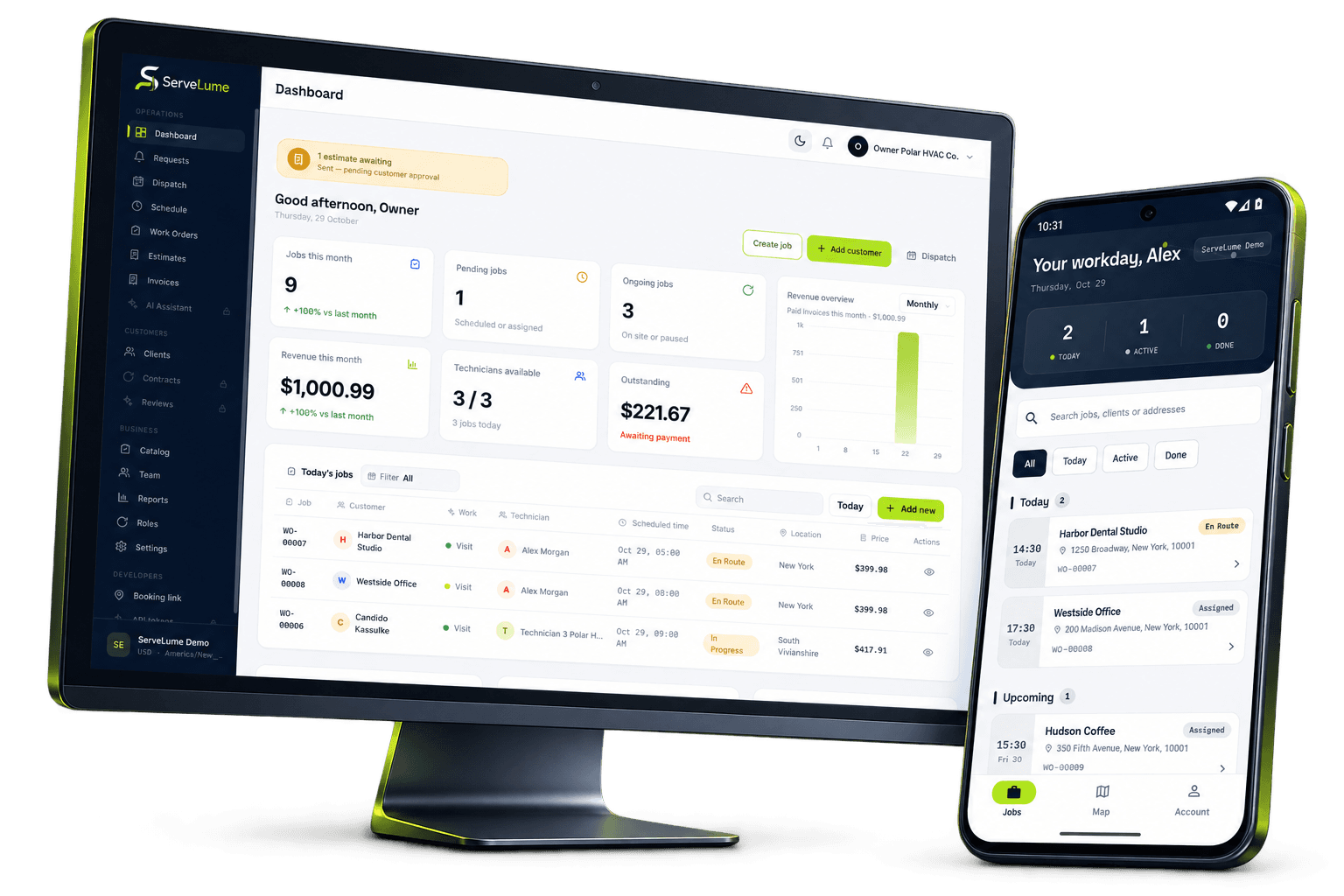
A clearer path from start to finish
Give engineers the job details they need on site. Engineer scheduling, checklists and customer sign-off stay together for the office.
The details make the difference
Quotations · scheduling · labour · site records
Keep job details, customers and site history together, from the office to the field.
Record checklists, work photos and customer signatures against the job.
Connect recorded materials, equipment servicing and part returns to the work.
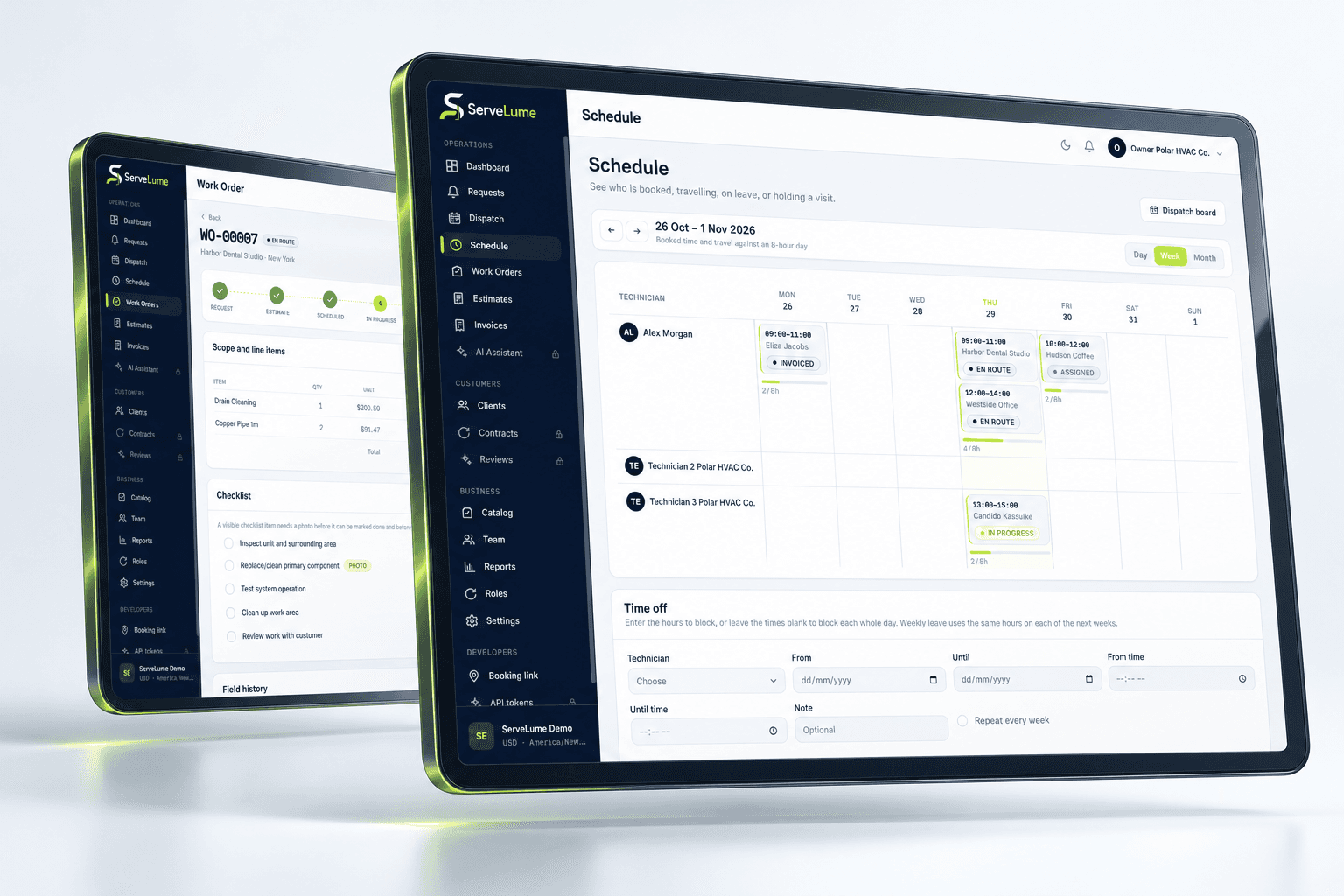
Job management software
A service visit starts long before a technician reaches the door. A customer describes a problem, the office confirms a time, and someone needs to turn that conversation into clear instructions. ServeLume brings that context into a shared work order so your team can find the property, understand the request and carry the work forward. Instead of rebuilding the story from messages and separate notes, your office and field team work from the same job record.
Use job management software to make handovers deliberate. Review the service location, access instructions and assigned work before travel starts. Keep updates against the job as the visit progresses, then return to its history when a customer calls about previous work. A useful job record explains what happened and gives the next person enough context to take a sensible next step. That matters for a single technician managing a busy day as much as it does for an office coordinating several visits.
Scheduling & dispatch
Schedules change. A visit runs longer than expected, a customer needs another time, or an urgent request interrupts the plan. A connected field service workflow helps the office work with the latest job context instead of treating the schedule as a separate spreadsheet. ServeLume connects assigned work with the field team's job records, helping dispatchers understand the work they are coordinating and technicians find their next visit.
Start with a practical scheduling routine: confirm the job details, assign the visit and make sure the person doing the work can see the information they need. When a technician starts travel or records attendance, the job moves forward through an explicit action. Location sharing depends on permission and active-job settings; it is a coordination aid rather than a promise of continuous tracking or a guaranteed arrival time. Your team stays responsible for reviewing changes, communicating with customers and making the final scheduling decision.
Mobile field service app
The field team needs useful information at the moment work happens. ServeLume Field brings assigned jobs, site context and job actions into a mobile workspace. Technicians can review their work, open navigation, record attendance and collect the job details that would otherwise be left until the end of the day. The aim is a clearer handover between the person visiting the property and the office supporting the customer.
A mobile job management app should fit the work rather than turn every visit into an administrative exercise. Use the field record to capture relevant photos, complete the configured checklist and add a customer signature where the workflow calls for one. Record materials while the details are still fresh, and review pending actions before moving on. Available features depend on the company's configuration and the device. Connection quality, location permission and payment-provider eligibility can affect particular actions, so test your actual workflow during the trial.
Proof of work
When a customer asks what was completed, your team should be able to return to a useful record. Job photos, checklist responses and customer signatures help explain the work in its original context. ServeLume keeps these records alongside the visit so the office can review the handover without first asking a technician to search their camera roll or remember the details of an earlier appointment.
Agree on what your team needs to capture before making a checklist longer. A photo should show a relevant condition, a checklist should support the job being done, and a signature should follow your business's own acceptance process. The software organizes the record; it does not replace professional judgment or establish a compliance certification. For repeat service work, a consistent record can give the next technician a better starting point. For the office, it creates a clearer basis for customer conversations and the next billing step.
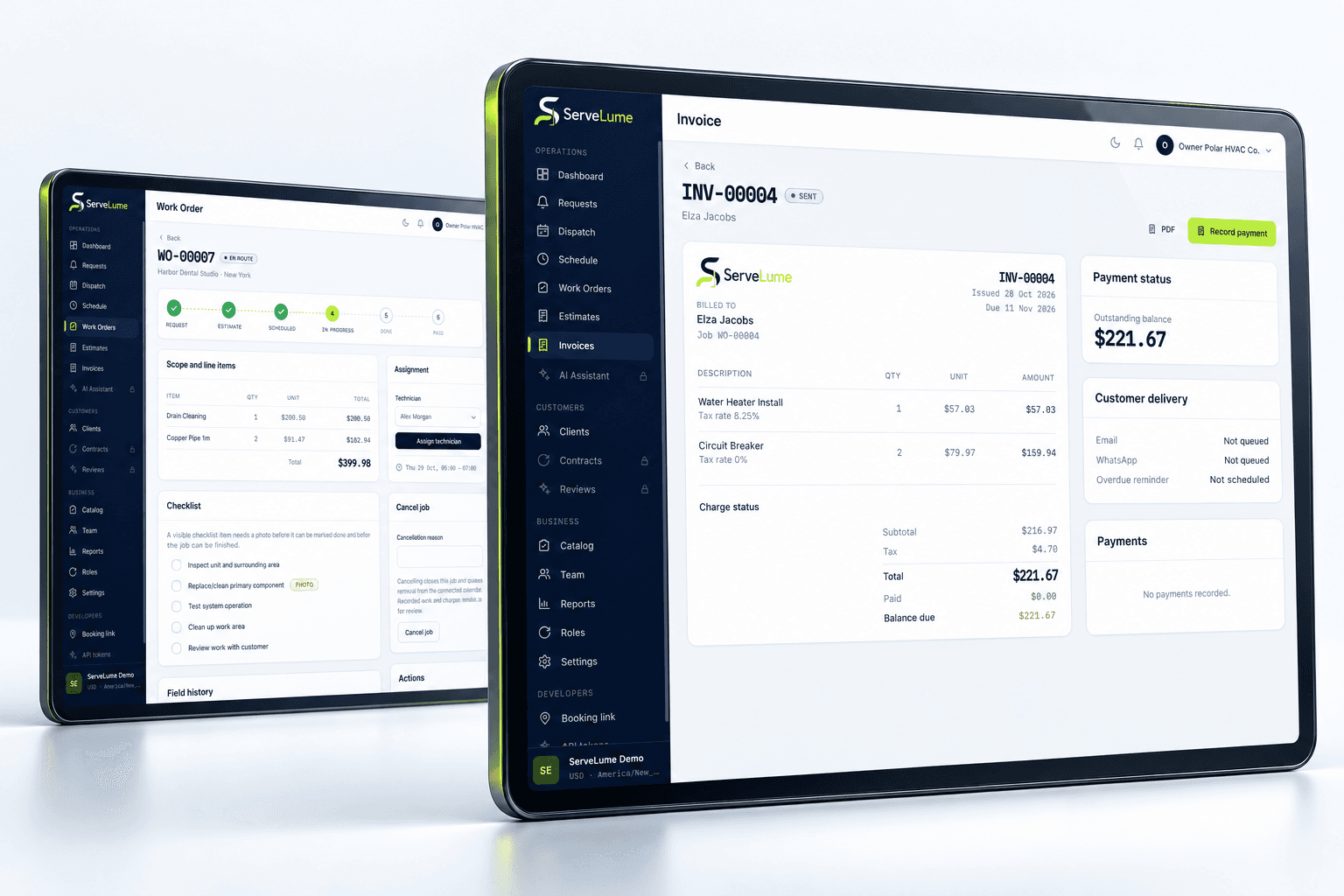
Invoicing & payments
Finishing the visit and preparing the invoice are connected parts of the same service. The office needs to understand the work performed, the materials recorded and the information needed for customer billing. ServeLume connects field records with invoicing workflows so the next person can review the job with its context intact. Your team remains in control of charges, invoice review and the decision to request payment.
Payment collection should be explained clearly to both staff and customers. Company-enabled payment features, including Tap to Pay on supported devices, depend on the provider, merchant account, country and device eligibility. An invoice or payment link does not by itself confirm settlement. Review payment status in the product and follow your own reconciliation process. During evaluation, work through a representative job from assignment to billing, including the records your office actually needs. That is more useful than comparing a long feature list without testing the handover behind it.
For service businesses
Electrical contractors, plumbing businesses, HVAC teams and property service companies share a need for clear jobs and reliable handovers, but their visits are not identical. A maintenance appointment, a repair call and a repeat cleaning visit each need different instructions and records. Explore ServeLume through the service workflow that resembles your own business, then decide which job details, checklists and office routines matter to your team.
ServeLume's regional guides cover Australia, the United Kingdom and the United States using the language service businesses use locally. Whether you call them tradies, engineers or technicians, begin with a real example of your workday. Include the office person who schedules the visit and the field person who completes it. Review what each needs before, during and after the job. Use the 14-day trial to evaluate that process with representative sample work, then review the current plans and company requirements before choosing the next step.
Built around your work
Explore field service management software through the work your team does every day.
Your next connected workday
Explore your job workflow with a 14-day trial, then choose the plan that fits your business.